Every Tool Your Construction Team Needs, One Place, One Login
Stop juggling separate apps for the job site. My years of hands-on civil estimating and field experience, poured into these tools. Estimating, voice daily & field reports, submittals, a shared task board, spec-book search, and vetted contacts — one login. Private by default, shareable by email, branded as your own company.
Per-user private data · Email sharing · Custom company branding
Your Construction Toolkit
Purpose-built tools for the field and the office — organized by what you're doing.

Specifications Search Engine
Hybrid semantic + keyword search across your spec books, plain-English Q&A with citations, a CSI section tree, and spec-to-spec comparison.
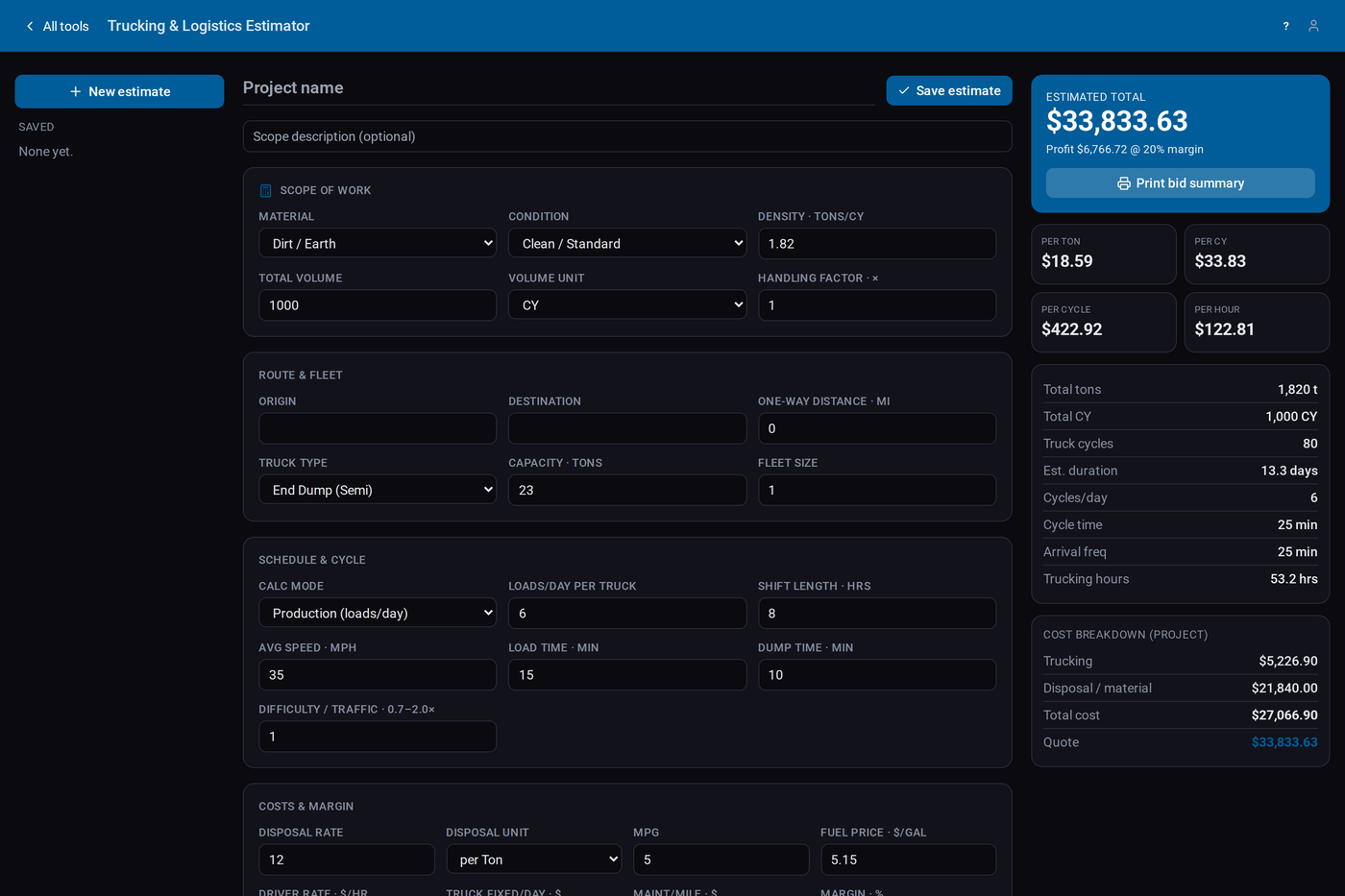
Trucking & Logistics Estimator
Per-load and per-ton cost modeling with live bid totals, reusable rates, and clean PDF estimates you can hand to the client.

Daily Report
Talk through your day and Smart Fill builds the whole log — crews, equipment, materials, subs, and work performed. Works offline, in English or Spanish, and the branded PDF always prints in English.

Field Issue Report
Document field conflicts the moment they happen — GPS-pinned on a satellite map or your site plan, with photos, cost-recovery hours, and a branded one-page PDF you can send the GC the same day.
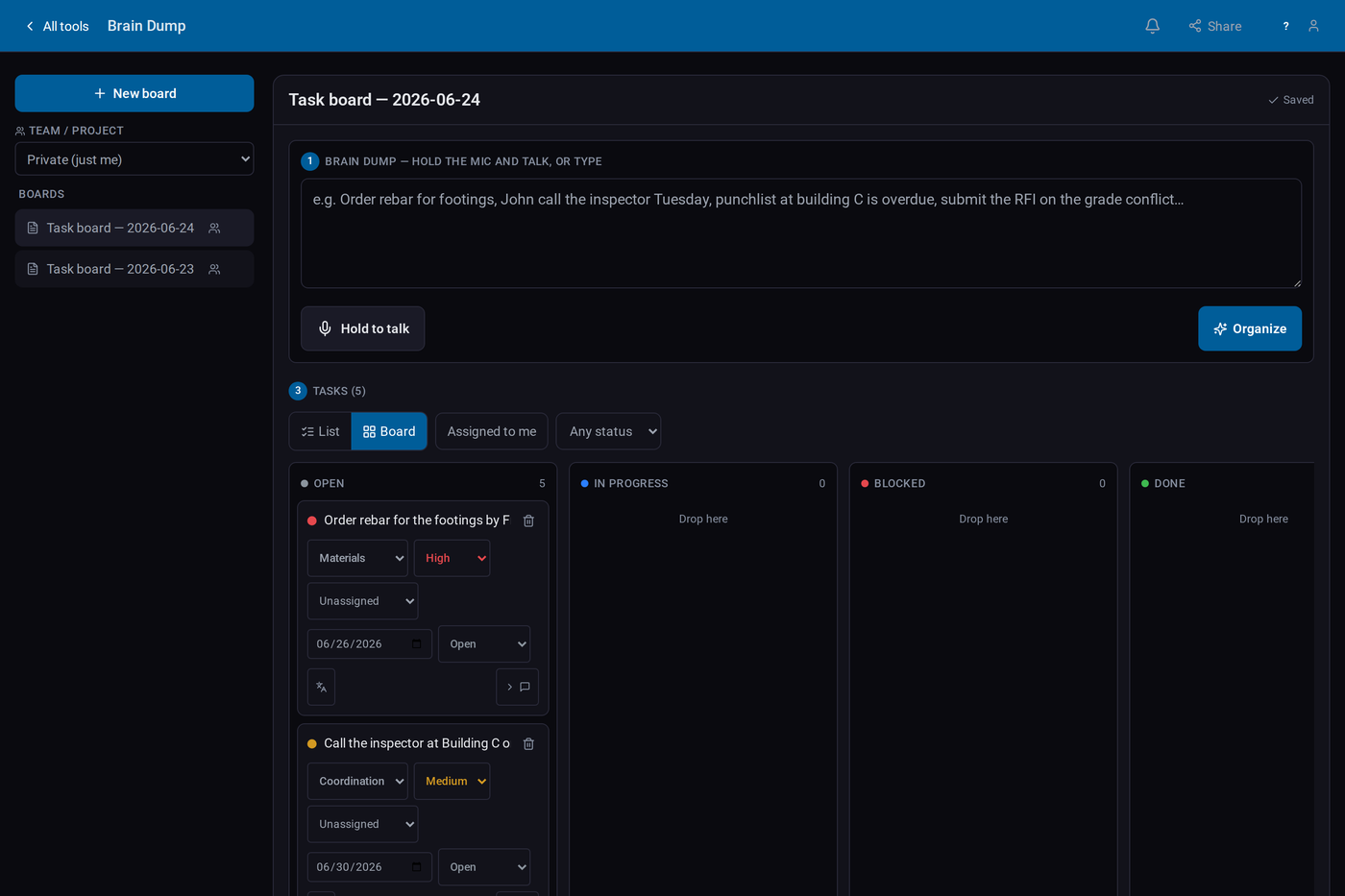
Brain Dump
Dump every task on your mind by voice or text and it sorts itself into a shared team to-do board — categories, priorities, assignees, due dates, and a drag-and-drop kanban.

Submittal Log
Spec-section-linked submittal register with status tracking from pending to approved, per-project logs, and shareable access.
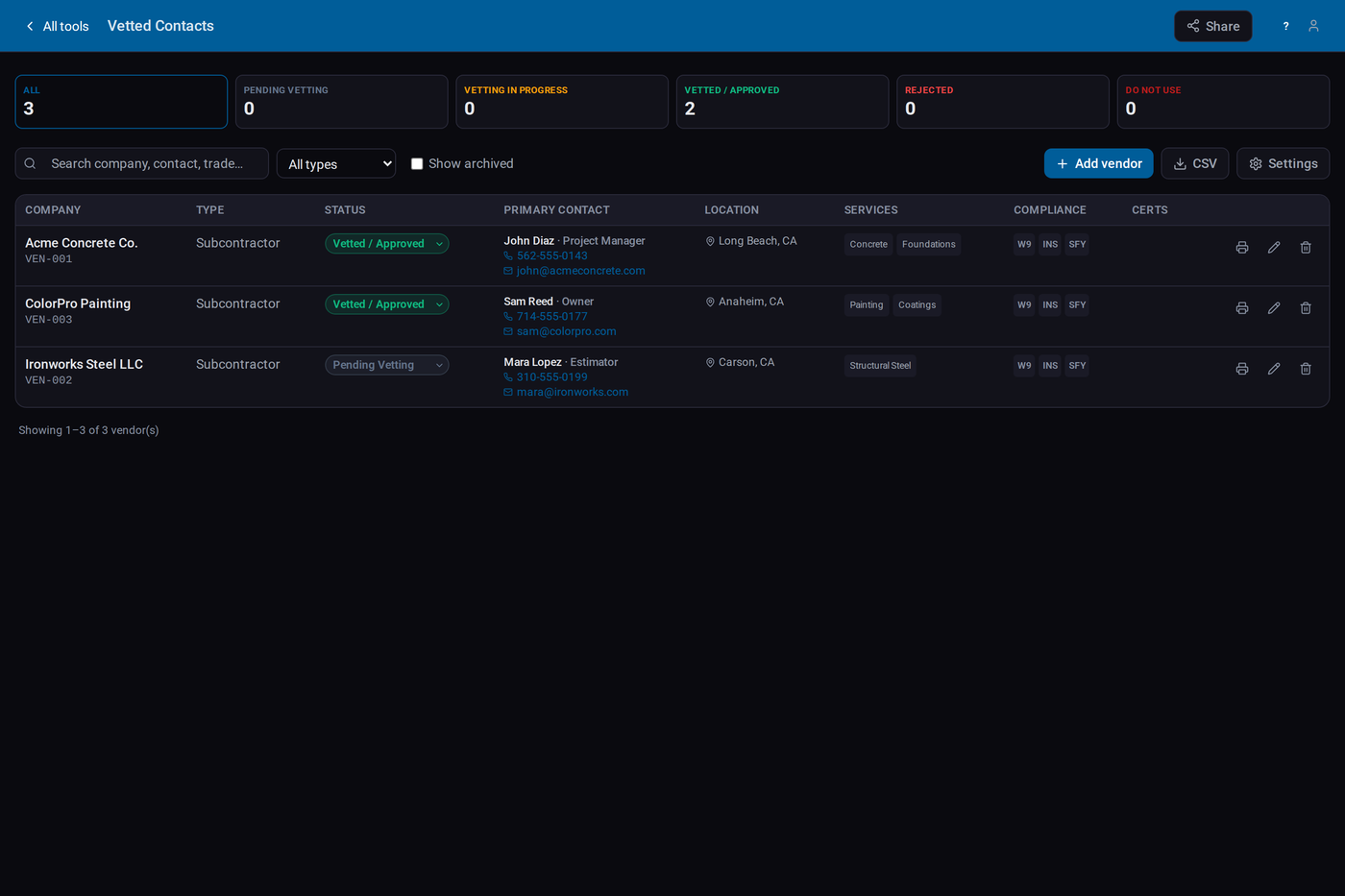
Vetted Contacts
A searchable directory of your trusted subs, vendors, and crew — trades, ratings, and notes on everyone you rely on.
Custom Company Branding
Your logo, your colors on every exported PDF — plus your company name and font across the whole app. Share work with your crew by email — view or edit.
Get StartedEverything Your Construction Team Needs, In One Place
Every tool shares the same backbone — my years of real field experience built in, private by default, and branded as your own company.
A Closer Look at Every Tool
Each tool in the suite, up close — what it does and why it saves your crew time in the field and the office.
🔍 Specifications Search
Find anything in your spec books — instantly.
- Hybrid semantic + keyword search across every indexed PDF
- Plain-English Q&A with cited answers
- CSI section tree (handles 5- and 6-digit numbering)
- Spec-to-spec comparison with a structured change report
- Per-user private document libraries
🚚 Trucking & Logistics Estimator
Price hauling and equipment moves in minutes.
- Per-load and per-ton cost modeling
- Reusable rate presets for trucks and materials
- Live bid total as you adjust quantities
- Clean PDF bid estimate export
- Save, reopen, and share with your team
📋 Daily Report
Talk through your day — Smart Fill builds the log.
- Smart Fill from one spoken rundown
- Crews, equipment, materials & subs with auto-learn
- Voice dictation + one-tap reword, GPS + auto weather, time-stamped photos
- Works offline and syncs when you’re back online
- English/Spanish — official PDF always prints in English
⚠️ Field Issue Report
Document field conflicts the moment they happen.
- Capture conflicts with severity & status
- GPS pin on a satellite map or your georeferenced site plan
- Operators, equipment & subs logged for cost recovery
- Capture-time photos, voice + one-tap reword, English/Spanish
- Branded one-page PDF + public link, always in English
💡 Brain Dump
Dump every task — it sorts your team’s board.
- Voice or type a brain dump → split into tasks automatically
- Auto-tags category, priority, assignee & due date
- Shared team board with drag-and-drop kanban
- Comments, notifications & due-date alerts
- Standup summary, ask-the-board, English/Spanish
🗂️ Submittal Log
Track submittals from draft to approved.
- Spec-section-linked submittal register
- Status tracking (pending → approved → revise)
- Per-project logs kept on your account
- Share a log read-only or read/write
- CSV import and export
👤 Vetted Contacts
Your trusted subs, vendors & crew in one place.
- Searchable directory of subs, vendors & crew
- Trades, ratings & notes on every contact
- Status workflow from vetting to approved
- Per-user private directory
- Share your vetted list with a partner
Simple, Honest Pricing
Start with a free 5-day trial — no credit card. Bring your crew when you're ready.
- Access to the toolkit
- Per-user private data
- Branded PDF export
- Locks after 5 days unless you subscribe
- Everything in Free
- Team sharing by email
- Custom company branding
- Everything in Per-user
- Priority support
- Deployment & onboarding help
Built With Crews, For Crews
Frequently Asked Questions
What does "private by default" mean?
Your data is scoped to your account and your projects — nothing is public or shared unless you choose to share it. CivilsTools is a hosted service: your records live on our servers in the United States, isolated per company and per user. See our Privacy Policy.
Who can see my data?
Only you, until you share it. You can share a report, log, or estimate with a teammate, PM, GC, or owner by email — view-only or read/write. Other customers can never see your data. Our own staff access it only when you ask us for support, or where the law requires it, and our service providers (hosting, payment processing) handle it strictly to run the service — all listed in our Privacy Policy.
Does it work offline / on-site on mobile?
Yes. It's a mobile-ready web app that captures in the field with no signal and syncs automatically when you're back online — so you can fill reports from the job site.
Can I brand PDFs with my company?
Yes. Add your company name, logo, font, and colors, and every document and PDF you export prints on your own letterhead — client-ready.
Do you support English and Spanish?
Yes. You can switch the form language between English and Spanish. Official PDFs always print in English so the record stays consistent.
Is there a free plan?
You can start free with no credit card and try the tools on real work for 5 days. After that the trial workspace locks and you subscribe to keep going — see our Refund Policy for billing and cancellation details.
Put Your Whole Toolkit to Work Today
Estimating, daily & field reports, submittals, specs, and contacts — in one place. No credit card required to start; your data stays private to your company.
Create Your AccountAlready have an account? Log in